
Who’s on
your Wi‑Fi?
PingDuck finds every device on your network in seconds, then tells you what each one is, how fast it answers and which ports it has open. Playful on the surface, properly technical underneath.
Free to scan. No account. Your data stays on your phone.
FIVE WAYS TO FIND A DEVICE, ALL AT ONCE
Ping sweep of your whole subnet in parallel.
Bonjour names and services: printers, speakers, TVs.
UPnP descriptions with make, model and friendly name.
Windows and NAS names via NetBIOS and reverse DNS.
Offline IEEE vendor lookup, plus randomized-MAC detection.
01 · RADAR
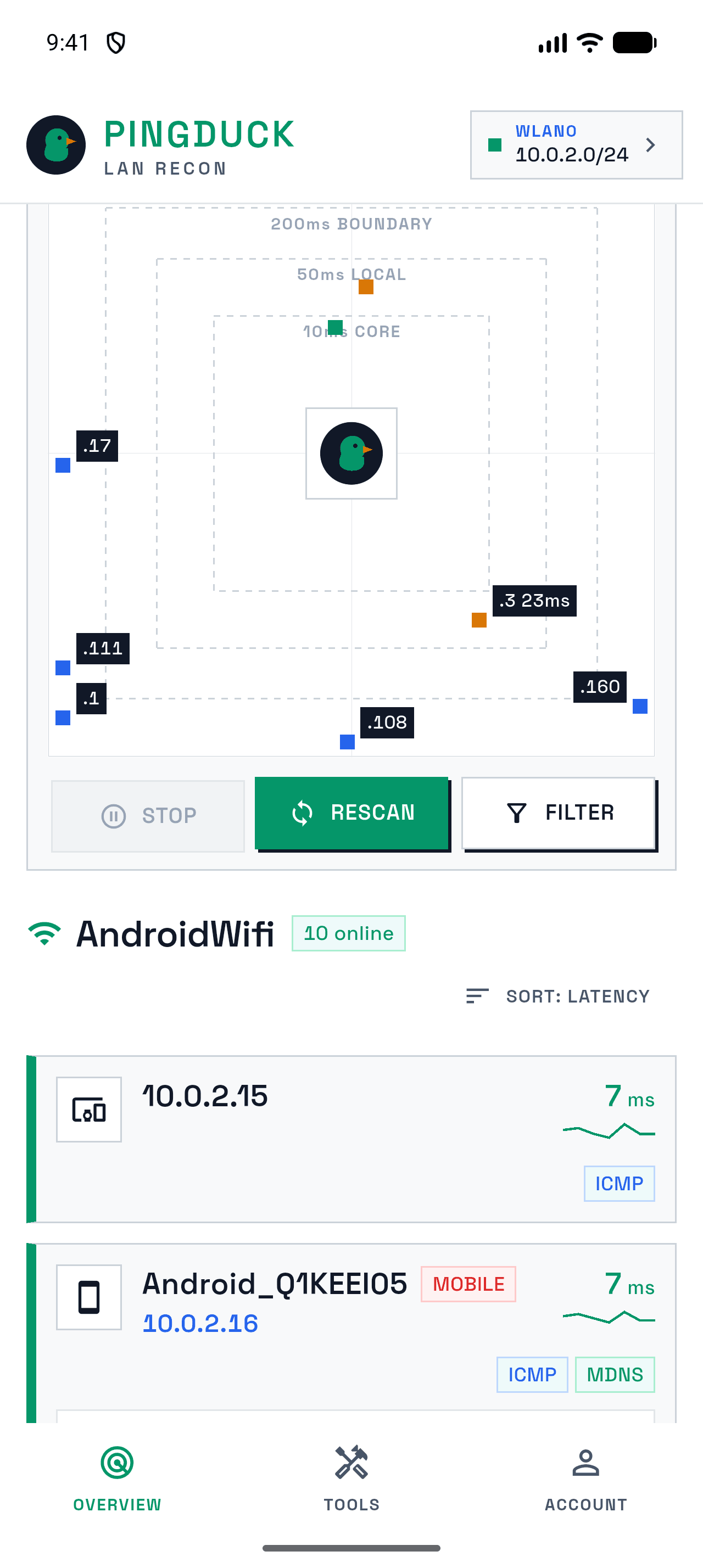
Every device, plotted by how fast it answers.
Hit scan and PingDuck sweeps your Wi-Fi in seconds. Devices land on the radar by latency, and the list fills in with names, vendors and the protocols each one answered on. Devices you have seen before show up instantly, before the scan even starts.
- Usually done in under 15 seconds
- Sort by latency, name or address
- Remembers each network you join
02 · NODE INSPECT
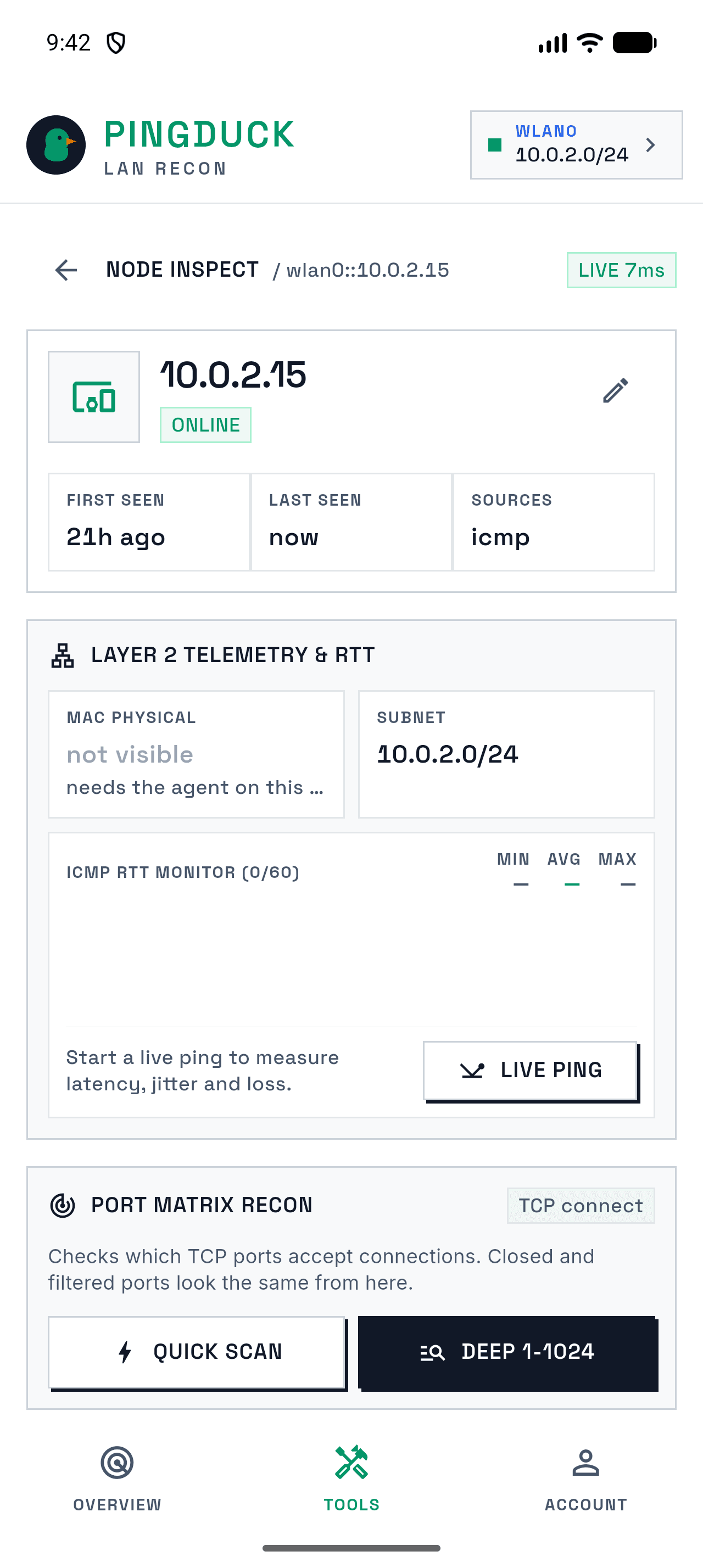
Everything known about one device.
Open any device for live ping with jitter and loss, a quick or deep TCP port scan, Wake-on-LAN, and your own name and notes. First seen, last seen and where each detail came from are all on one screen.
- Live RTT chart with min, avg and max
- Quick scan or ports 1–1024
- Rename devices and keep notes
03 · LOCAL FIRST
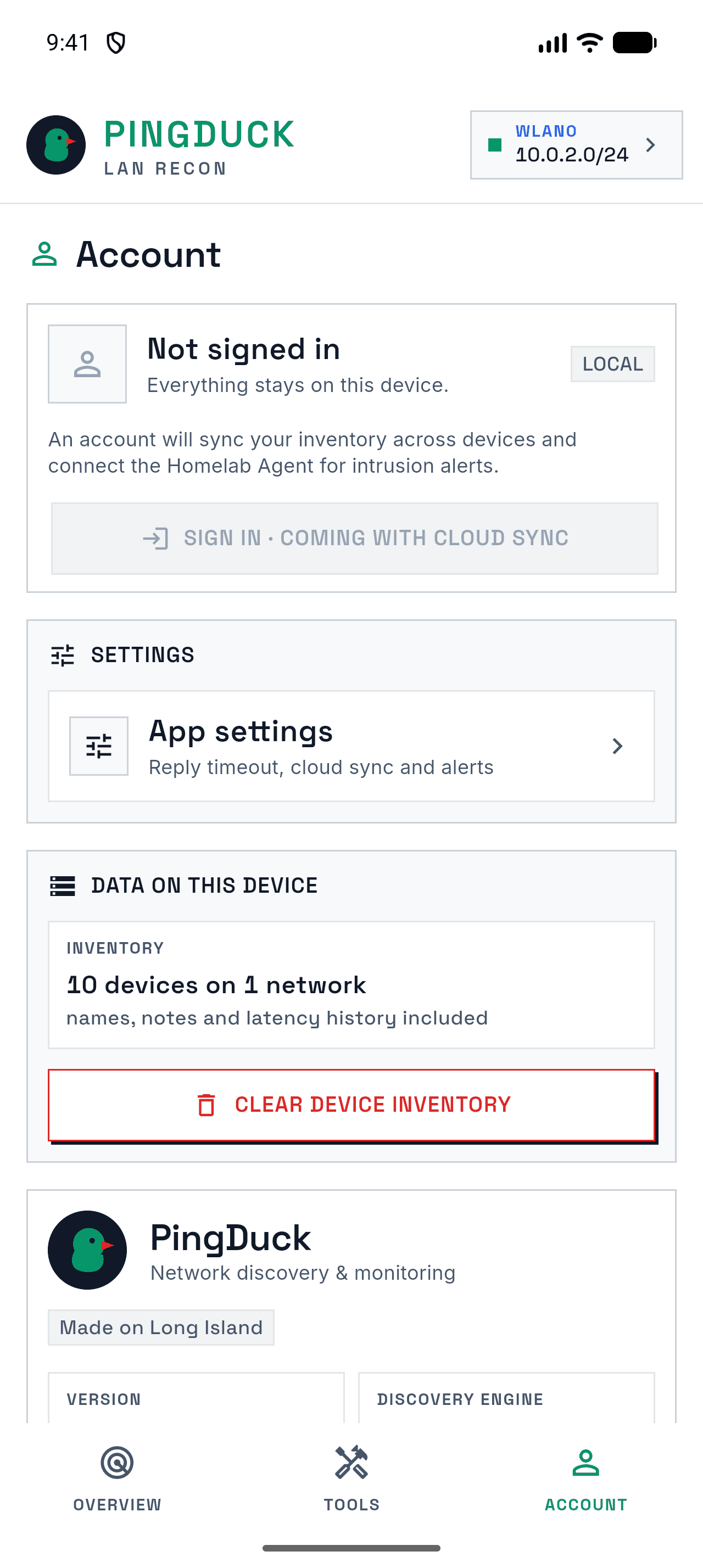
No account. Nothing leaves your phone.
Your device inventory lives on your phone and nowhere else. There is no sign-up, no analytics and no ads. Clear it any time from the Account tab.
- No sign-in required
- No trackers or analytics
- Vendor database is bundled for offline use
The Homelab Agent sees what phones can’t.
iOS and Android don’t let apps read MAC addresses. The PingDuck agent runs the same scanning engine in a small Docker container on your server, so you get exact MAC addresses, vendors, 24/7 history and alerts when an unknown device joins your network, even while your phone is away.
# on your homelab box
$ docker run --rm --net=host \
    --cap-add=NET_RAW --cap-add=NET_ADMIN \
    pingduck-agent
Meet everyone on your network.
Questions first? The FAQ covers permissions, missing devices and privacy.